
Description-Practice using tools such as Nmap and GoBuster to locate a hidden directory to get initial access to a vulnerable machine. Then escalate your privileges through a vulnerable cronjob.
Difficulty-Easy
Link-https://tryhackme.com/room/easypeasyctf
Enumeration
First I started with an nmap scan using the -A and -T4 flags. There is 2 other ports that I scanned later with just a simple -p- tag which I then scanned a bit further using -sC and -sV.
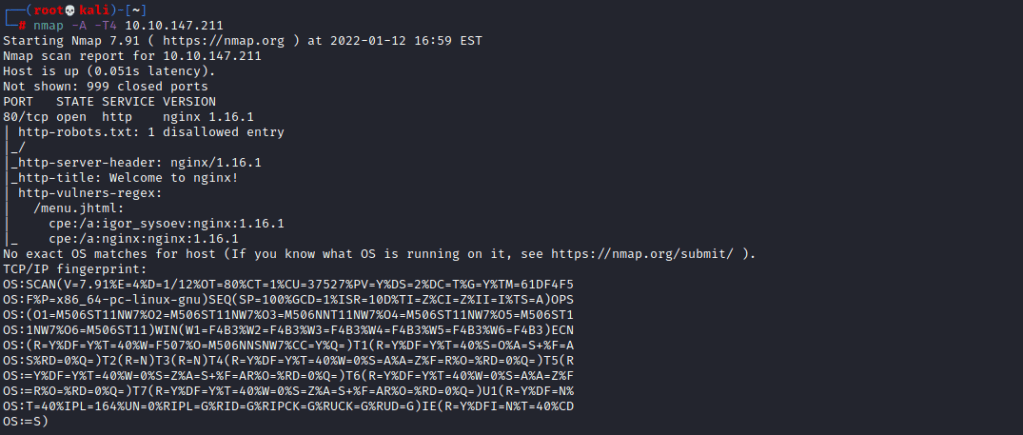
As port 80 is open I am going to use gobuster or another tool to find directories for the web page. The wordlist I am using is /usr/share/wordlists/dirb/common.txt
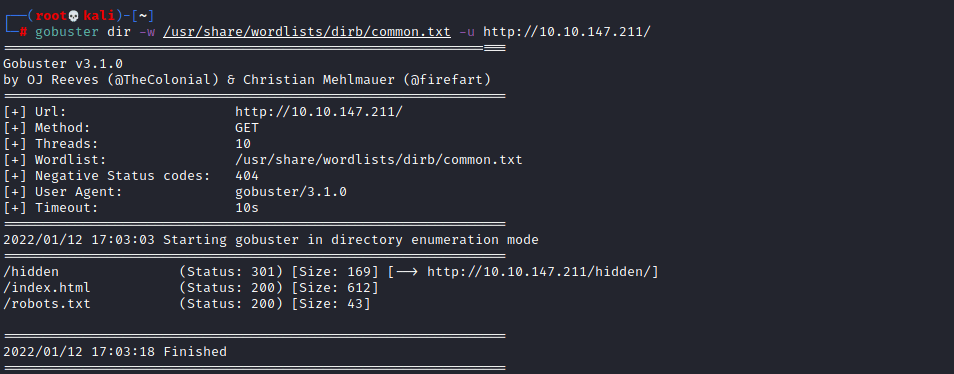
From this I found the /hidden directory which went to a simple web page, so now I am going to do another gobuster attack to see if there any directories within /hidden/
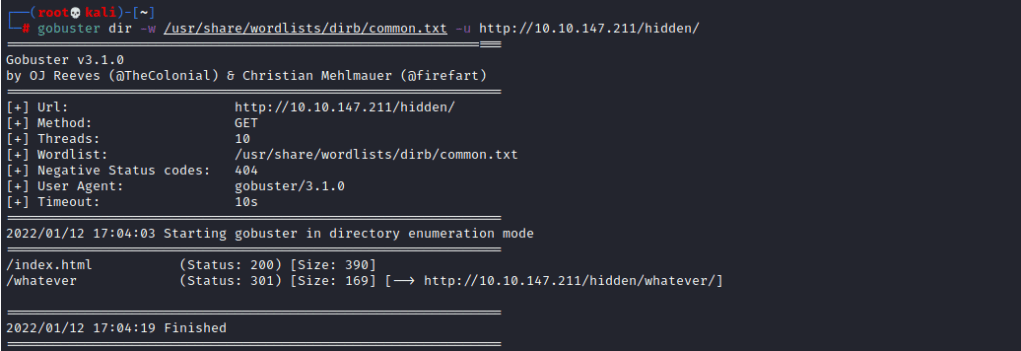
This allowed me to find /whatever. By viewing the source of that page you can find a base64 encoded string so if you go and decode that it will give you the first flag.
After that I went to the webserver on port 65524. This redirected me to the default apache page and I was able to get flag 3 which I think wasnt meant to happen however I will accept it. I then viewed the source code for the default page and found this

It took me awhile to decode it but eventually I found it to be base 62 and it gave me the name of a directory. This new page had an image and another hash which after being cracked would help me solve the next stage , the hash is GOST if you are wondering. As I thought this was weird I decided to do some steganography on the image to see If there is any data hidden within it.

The text file had binary within it so I converted that to ascii and this would give me the ssh password, it also gave me the username in plaintext. However I will get back to this as I still need to get flag 2.
I navigated to /robots.txt to find a long string that looks like its some sort of hash, so I used a tool called hash-identifier within linux to find out what type of hash it is.

Well it looks like its an md5 hash so now we have to crack it. I didnt have much luck cracking it myself but using md5hashing.net I was able to get it in the end.
Getting a shell
As I had both the password and username I logged in with ssh on port 6498.

I then navigated to the home directory and then into boring’s direcory to read the user flag

The user flag seems to have been mixed up so its time to figure out what happened, it took me awhile but I ended up finding out that it can be decoded with rot13. I guess thats why the author put “Rotated”, I definitely should have picked up on that. Anyway that gave me the correct user flag so now its time to elevate our privileges.
Privilege Escalation
For this I am going to use Linpeas, so I am going to host a SimpleHTTPServer so I can retrieve it.

I will run this and see if anything comes up. The scan picks up some weird cronjobs.

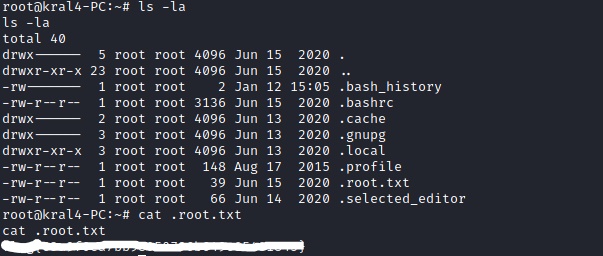
If we going into the var/www directory and do “ls -la” to display everything we will the secretcronjob and we have write permissions so now I am going to add a bash reverse shell and start up a listener so when the cronjob runs my reverse shell will start and I will be logged in as root.


As you can see I now have root. So I can cd to the root directory and get the root flag!
My Thoughts
Wow! Now that was a bit harder than I thought it would be, personally I would say its a medium box and I do feel like some of the flags were a bit all over the place instead of a linear kind of path but overall this box was great and introduces a lot of new techniques to beginners.
 MHCyber